
Designs & email types
Map email types to the right templates
On this page
Email types are the basis for targeted styling. Instead of treating every mail the same, FreddyMail distinguishes between password reset, new user, WooCommerce order and custom hooks — and each type gets a matching design.
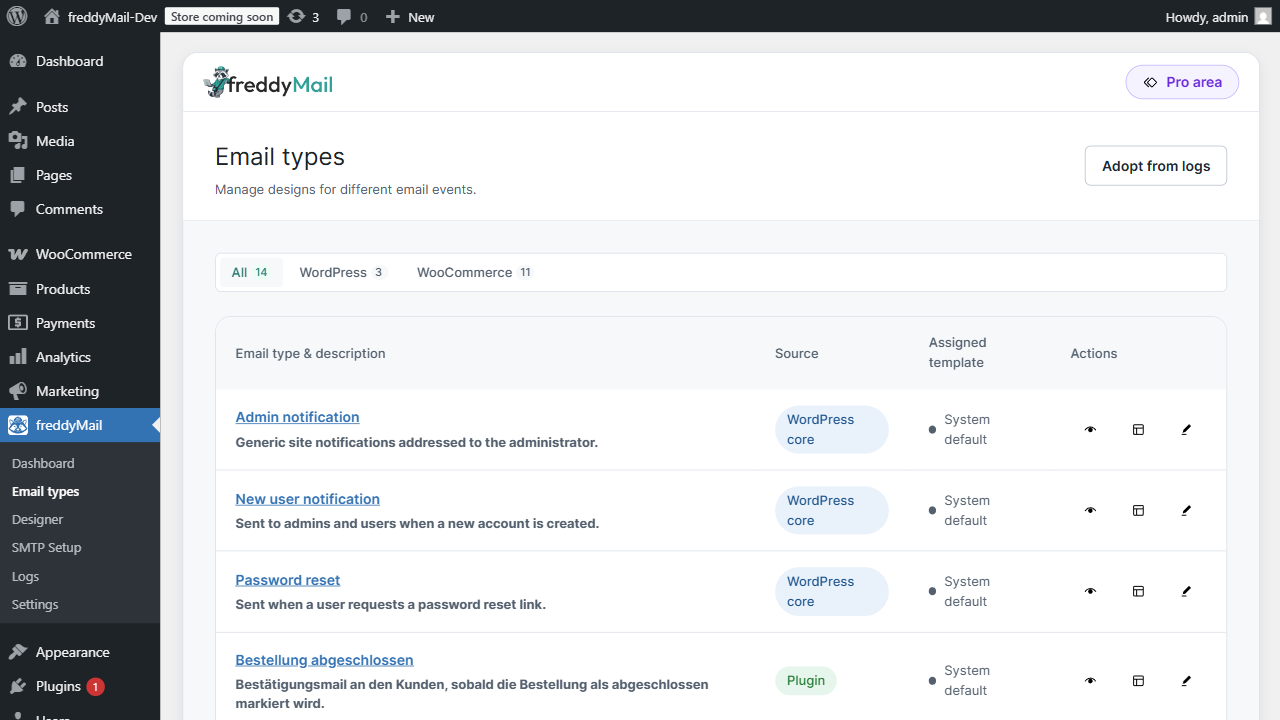
What is an email type?
An email type is a logical trigger. WordPress knows types like password reset or new user account. WooCommerce adds order confirmation, order completed and order cancelled. Custom plugins can register additional types through hooks.
FreddyMail lists every detected type with status and currently assigned template.
Assign a template
- Open FreddyMail > Email types.
- Pick the type, e.g. Password reset.
- Click Assign template and select a design from the library.
- Check subject, preview text and available placeholders.
- Save.
- Trigger the matching event (e.g. request a password reset).
- Open the Logs tab and verify the type + template were applied.
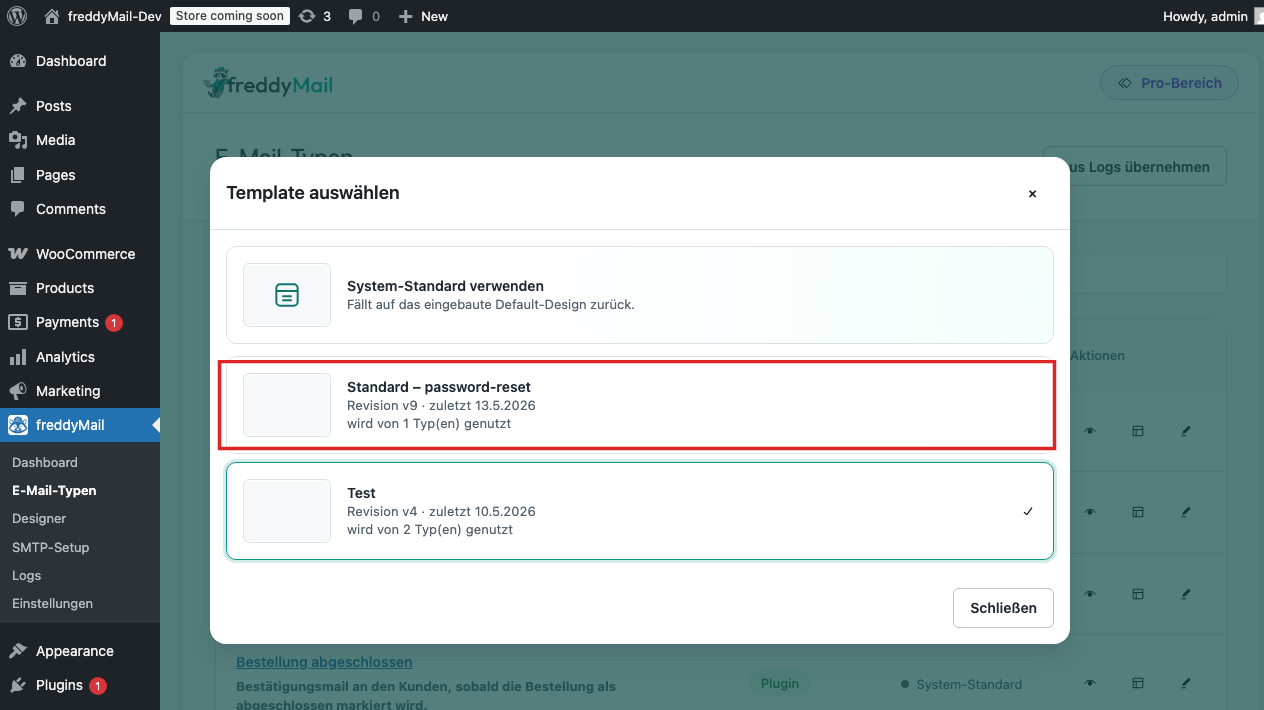 Annotated
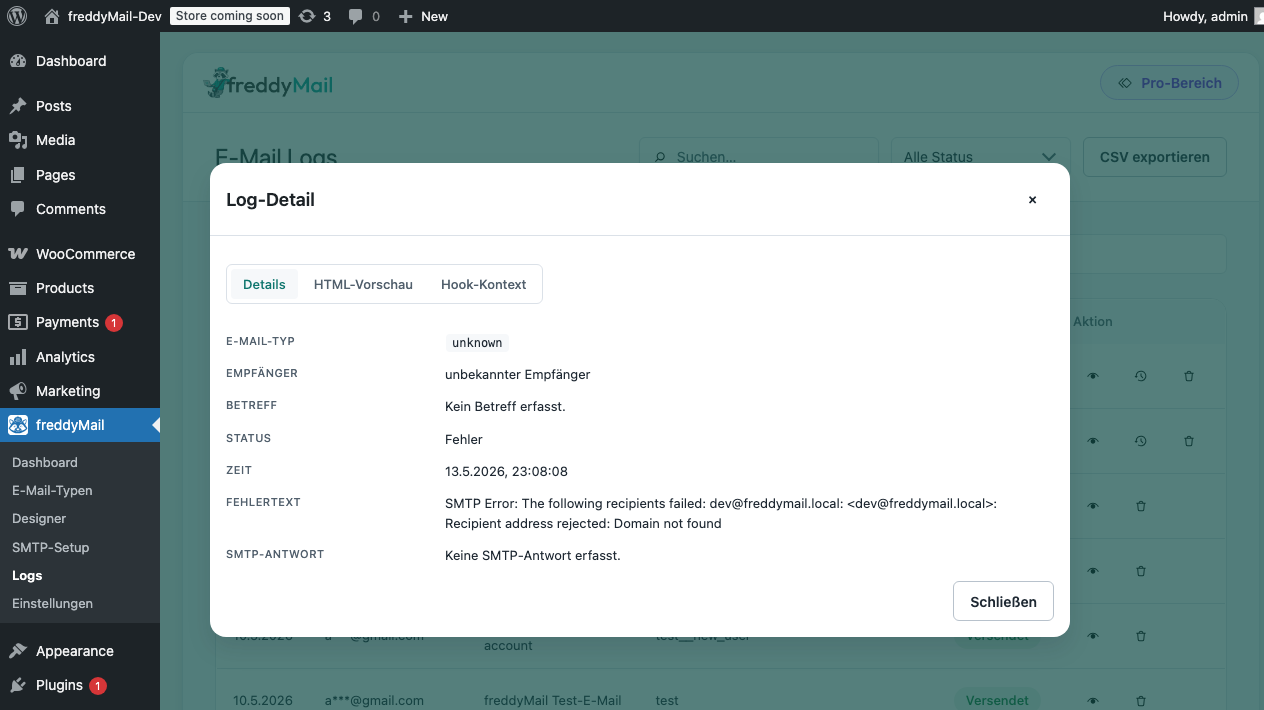
 ”Unknown type” — what does it mean?
When another plugin sends through wp_mail() without a recognizable hook, FreddyMail records it as Unknown type in the log and applies the default template.
Which mails to test first
- Password reset — the single most common “mail never arrived” issue for end users.
- New order (admin) and order confirmation (customer) — if you run a shop.
- New user account — important for SaaS or membership setups.
- Any plugin mails (forms, comments) you tend to lose in production.